

DJI ROMO robot vacuum is changing the way people approach home cleaning with its unique drone-inspired navigation, powerful suction, and innovative mopping features. If you’re considering a premium robot vacuum or comparing the latest 2026 models, this realistic, in-depth guide covers everything you need to know before you buy—including what rivals rarely mention, hidden downsides, and how it really performs in the real world.
Key Takeaways
- The DJI ROMO robot vacuum sets itself apart with drone-grade LiDAR and AI, 25,000 Pa suction, heated mopping, and hands-off maintenance.
- Common complaints include its tall design that struggles under low furniture and mopping pads that don’t lift for carpets.
- Important feature gaps exist—such as missing details around smart home compatibility, long-term durability, and ongoing operating costs.
- What Makes DJI ROMO Robot Vacuum Unique?
- How to Get the Most Out of the DJI ROMO Robot Vacuum
- Advanced Analysis and Common Pitfalls of DJI ROMO Robot Vacuum
- Conclusion
- FAQ
What Makes DJI ROMO Robot Vacuum Unique?
The ROMO series marks DJI’s entry into the robot vacuum market, leveraging years of drone expertise for more intelligent navigation and robust cleaning. Available in three variants—Romo S, Romo A, and Romo P—each model aims to deliver premium performance through top-tier hardware and unique features like an all-in-one base, advanced heated mopping, and powerful object detection with fisheye cameras and solid-state LiDAR. Unlike competitors that often rely on traditional bulky turrets, ROMO embeds its sensors for a sleeker profile, but not the slimmest on the market.

What truly sets ROMO apart is the integration of DJI’s machine learning and “drone-grade” sensing to improve navigation in cluttered homes. Its flagship ROMO P variant even showcases a transparent body, heated mop washing to 60°C (140°F), and a base station that can auto-empty dust for up to 200 days. These claims, along with the bold 25,000 Pa suction figure, signal a serious challenge to top 2026 models like Dreame X60 Max Ultra and Narwal Flow 2 Ultra—though Dreame surpasses ROMO in raw suction at 35,000 Pa and slimmer build.
Still, not all is perfect even on paper. While DJI touts higher-end features, there’s a lack of detail on smart home integration, durability, and certain real-world cleaning challenges, which we’ll unpack below.
How to Get the Most Out of the DJI ROMO Robot Vacuum
To maximize your investment in a DJI ROMO robot vacuum, here are actionable steps and inside tricks drawn from early expert and user feedback:
- Unpack and assemble base station: Install the docking station with enough clearance left and right for the robot to return and clean itself without obstructions. Plug it directly into a surge-protected wall outlet.
- Install and charge the ROMO: Place the robot on the dock and allow it to charge fully before running the first cycle. Pair with the official app—though details on app features, smart home support, or voice integration (Alexa/Google) remain unclear as of this writing.
- Update firmware and set up rooms: Ensure ROMO’s software is up-to-date for best navigation and machine learning algorithms. During setup, assign room zones and adjust “no-mop” zones to avoid damp carpets—a must, since the ROMO’s mopping pads don’t fully lift off either hard floors or rugs.
(See tips also noted in our 2026 robot vacuum mop combo guide.) - Choose cleaning modes and schedules: Test both vacuum-only and mop+vacuum modes for different rooms. Heated mop washing and selectable cleaning solutions (Romo P) can boost results on sticky kitchen or bathroom messes, but change pads regularly for the best performance.
- Maintain and monitor: Replace disposable dust bags in the dock every 150-200 days, and keep an eye on pad/tank status as water volume isn’t publicly specified. Regularly inspect brushes for hair or debris, especially in pet households. Compare the anti-tangle brush setup to top picks in our pet hair no tangle robot vacuum review for extended brush health.
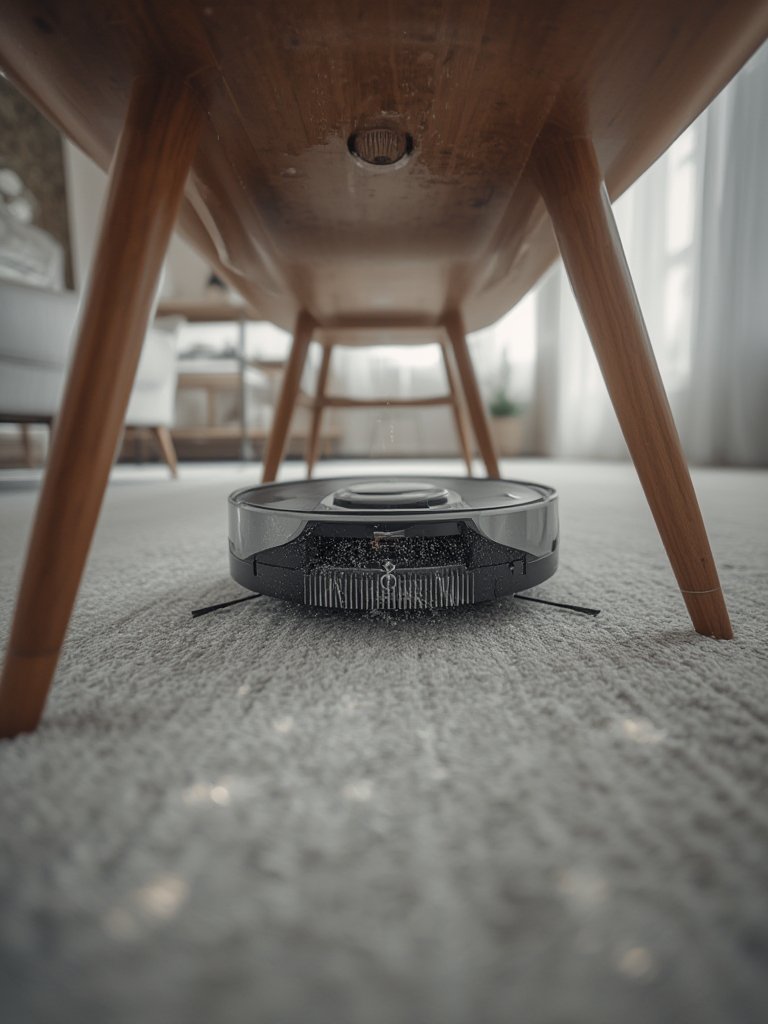
- Handle thresholds and obstacles: ROMO climbs up to 20 mm (0.78”), but for rooms with higher transitions, use the optional ramp accessory to reach 40 mm. Remember that at 98 mm tall, ROMO won’t clean under most sofas or low beds—see our guide to retractable LiDAR robot vacuums if ultra-low clearance is a must.
- Review maps and tweak coverage: After several cleaning cycles, audit your maps for missed corners or persistent obstacles. Fine-tune virtual walls and remember, ROMO’s impressive navigation still depends on line of sight and lighting.
- Monitor operating costs: While official DJI supply pricing isn’t released, expect recurring costs for disposable bags, mop pads, and cleaning solutions, typical of premium combo robots. For an idea of long-term dock and cleaning station strategy, look for inspiration in our self-washing robot vacuum dock roundup.
Advanced Analysis and Common Pitfalls of DJI ROMO Robot Vacuum
While the specs and features stand out, there are several realistic limitations and missing details you should consider before committing to the DJI ROMO robot vacuum series.
| Feature | DJI ROMO (ROMO P) | Dreame X60 Max Ultra | Narwal Flow 2 Ultra |
|---|---|---|---|
| Max Suction | 25,000 Pa | 35,000 Pa | (Not stated, “increased” vs. prior gen) |
| Mop System | Dual spinning pads, one extendable, heated wash (140°F), not fully lifting | Heated wash (temp not stated), lifts mop | Heated wash (140°F), AI navigation, lifts mop |
| Obstacle Sensing | Fisheye camera + dual solid-state LiDAR (no turret) | Advanced LiDAR (with turret) + object AI | AI vision (Narmind Pro) + LiDAR |
| Height/Climbing | 98 mm / 20 mm climb (40 mm w/ramp) | Thinner / not stated | Not specified / not stated |
| Dock Bag Capacity | 200 days | Not specified | Not specified |
| Noise (vac/mop/collect) | 56 dBA / 65 dBA | Not specified | Not specified |
| Smart Home Integration | Not confirmed | Likely, supports major assistants | Likely, supports major assistants |
Sources: Vacuum Wars, Gizmochina
- Tall profile limits under-furniture cleaning: At 98 mm, the ROMO cannot clean under many sofas or beds—a gap compared to flagship thin models. If under-furniture cleaning matters for you, check our slim robot vacuum solutions.
- Mop pads don’t lift: Without a full mop lift or retract action, ROMO can wet carpets during mixed floor routines. Competitors like Dreame and Roborock offer mop lifting to avoid this issue—see strategies for protection in our carpet-safe robot vacuum mop guide.
- Missing smart home integration: As of now, no confirmed Alexa, Google Home, or Apple HomeKit compatibility. For those prioritizing Matter support or advanced automation, familiarize yourself with robot vacuums with Matter support.
- Lack of US release and operating cost info: US buyers must wait for official distribution. Ongoing consumables such as bags, cleaning solutions, and replacement pads are unpriced, so cost-of-ownership remains unclear.
- Long-term durability unknown: Warranty policy, battery longevity, and real-world maintenance intervals aren’t yet documented—even after scanning official and expert sources like Vacuum Wars and Gizmochina.
- Opaque AI claims: While DJI promotes “drone-grade” ML and LiDAR, there’s little info on how this performs in extreme cases or if it can reliably rival deep-learning navigation from Dreame or Narwal.
Early adopters highlight exceptional mapping accuracy and debris pickup, but also call out that certain competitive models surpass ROMO on raw suction, under-furniture cleaning, and mop versatility. For those in split-level or threshold-heavy homes, consider innovations detailed in our threshold climbing robot vacuum guide.
Conclusion
DJI’s robot vacuum debut makes a bold impression, especially in advanced navigation, strong suction, and heated auto-mopping—but buyers should weigh the tradeoffs. The DJI ROMO robot vacuum is best suited for those wanting hands-off cleaning, cluttered-home mapping, and dramatic dock automation, provided you can live with its height, fixed mop design, and unknowns around long-term costs or smart home compatibility.
The market is clearly shifting: DJI’s entry pressures rivals to step up AI, efficiency, and maintenance reduction. If whole-home automation and top navigation matter most, ROMO is worth a close look—just be aware of what’s missing, and compare it directly to established leaders. Ready to transform your cleaning routine? Dig into official details, or browse our proven robot vacuum mop combos for 2026 for more options.
FAQ
Is the DJI ROMO robot vacuum available in the US?
No, as of early 2026, the ROMO is not officially available in the US. International sales began in Korea with expansion to select European markets. Official US release timing is unknown. For updates, check sources like Vacuum Wars.
Can the DJI ROMO robot vacuum handle thick carpets or high thresholds?
ROMO climbs up to 20 mm (~0.78″) and can manage 40 mm (~1.57″) with an optional ramp. For especially thick carpets or high transition strips, it may struggle compared to some wheel-legged or advanced-climbing competitors. See threshold solutions here.
Are the mopping pads safe for use on all hard floors?
The heated dual spinning mop pads work well on sealed hard floors, vinyl, and tile, and the pressure/heat can clean sticky messes. However, since the pads don’t lift for carpets, always set “no-mop” zones on sensitive rugs to avoid unwelcome moisture.
Does the ROMO robot vacuum support Alexa, Google Assistant, or Apple HomeKit?
As of publication, there is no public confirmation of Alexa, Google Assistant, or Apple HomeKit (Matter) support. Smart home integration is a notable omission in the ROMO’s current ecosystem.
How do operating costs for the DJI ROMO robot vacuum compare to other brands?
Exact costs for disposable dock bags, pads, and cleaning solution are not specified by DJI. Expect costs similar to other premium brands, but budget for recurring supplies every 6-12 months, depending on use and home size.
—